Impersonation
The Autotask API supports impersonating a contact or a resource. These two forms of impersonation use different API mechanisms, so you must configure them differently in a workflow action.
- Contact impersonation uses a contact ID field in the API request payload, alongside fields such as title, status, or account ID.
- Resource impersonation uses a header on the API request. It cannot be configured through an entity field in the request payload.
Use Case for Impersonation
Impersonation is useful for improving the end-user experience in Autotask. By impersonating the person who took the action that caused MSPintegrations to create a ticket, ticket note, or other Autotask entity, the Autotask user-interface will display the name of the person who took that action and the user who is responsible for the entity being created instead of the system that actually created the entity.
For example, if you use MSPintegrations to create Autotask Tickets from incoming emails, it is more useful for the ticket to display the name of the email sender as the "creator" of the ticket instead of simply displaying the name of your MSPintegrations Autotask API user.
Example Tickets
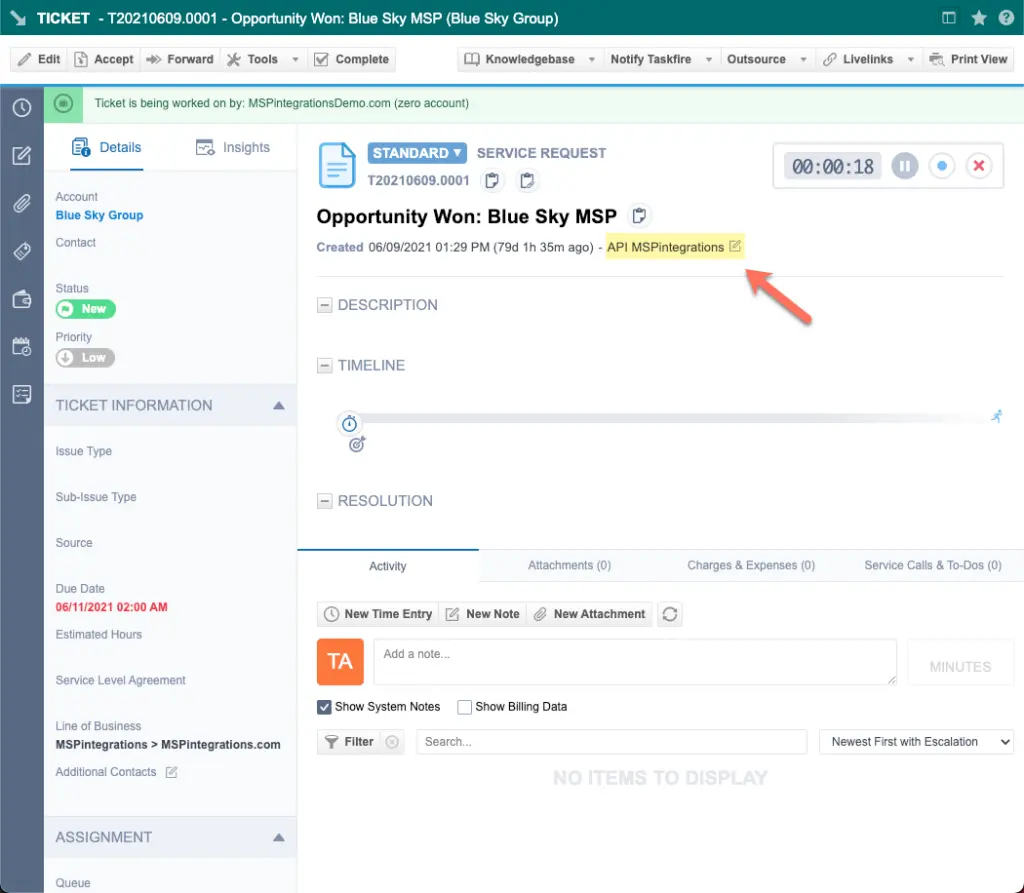
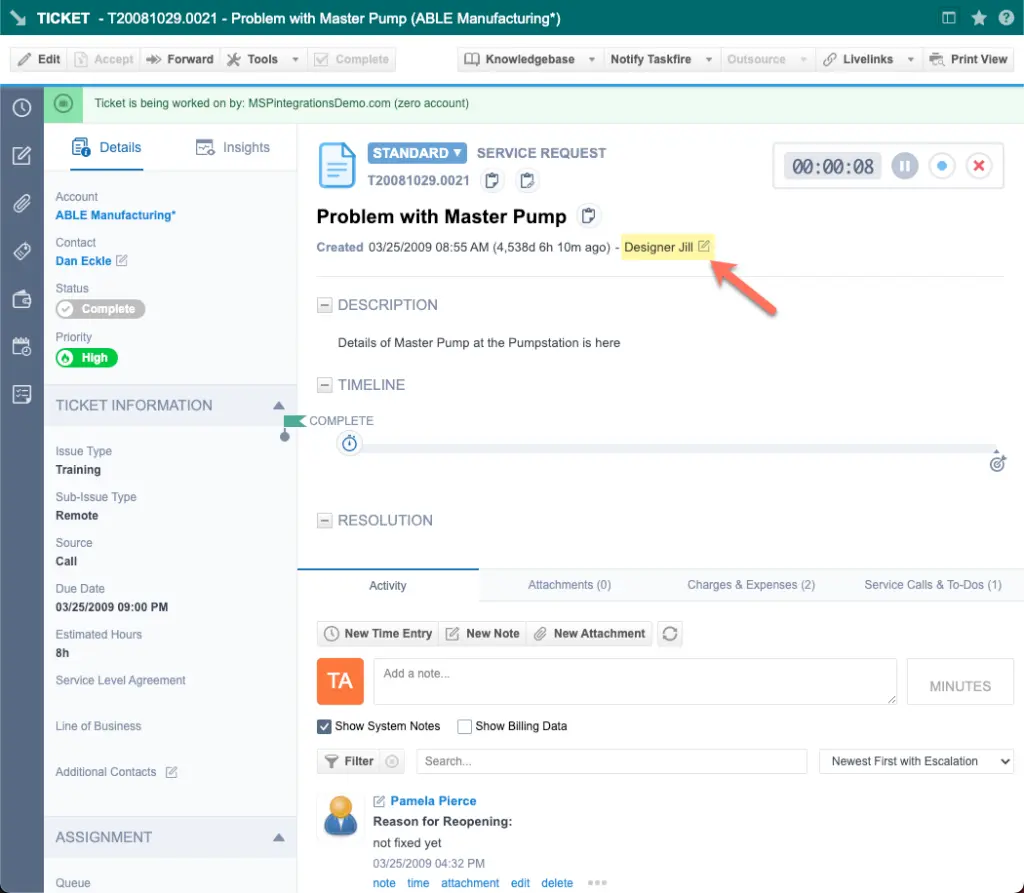
For example, compare the following two tickets. Both tickets were created by MSPintegrations using the Autotask API.
In this first ticket, "impersonation" was not used and the ticket shows that it was created by the Autotask user "API MSPintegrations". This is not helpful to an Autotask user who wants to determine who created the ticket.
In this second example, "impersonation" was used and the ticket shows that it was created by a contact, and not by MSPintegrations. When viewing this ticket in the Autotask interface, the name of the person who caused the ticket to be created will be more useful than the name of the Autotask API user used by MSPintegrations.
Automatic Impersonation in Autotask Workflow Actions
Email-oriented Autotask workflow actions, including Create Autotask Ticket and Update Existing Autotask Ticket, automatically look for an Autotask resource and contact whose email address matches the sender of the incoming email.
The action applies the following behavior automatically:
- It searches Autotask for a matching resource and contact.
- If it finds both, it favors the resource. The action sends the Resource ID in the API request header and does not impersonate the contact.
- If it finds only a contact, it sets the applicable contact impersonation field on the new or updated entity.
- If it finds neither, it makes the request without impersonation.
If Autotask rejects an automatically impersonated request, the action records the failure in automation history and retries the operation once without impersonation. These workflow actions do not let you select the identity, turn off automatic matching, or change this fallback behavior. If you need to control impersonation yourself, use the direct API actions described below.
Resource Impersonation in Direct API Actions
The following direct Autotask API actions include resource impersonation controls in their Advanced section:
- Create an object
- Update an object
- Query objects
- Query one object
- Delete an object
- Create attachments
Use Impersonate Resource to select an active Autotask resource. You can also unlock the field and enter a text expression whose value is a Resource ID. The action sends this Resource ID in the resource impersonation header on the Autotask API request. Leave No impersonation selected to make the request as the API user.
This selector is the only way to choose an impersonated resource in these actions. Do not set an entity field such as CreatedByResourceID, CreatorResourceID, or AttachedByResourceID to select the resource. Autotask treats resource impersonation fields exposed on entities as read-only information for queries and responses. During create and update operations, Autotask disregards those field values when deciding which resource to impersonate.
When you select a resource, the action displays Retry Impersonated Request Without Resource Impersonation. This checkbox is enabled by default.
- When enabled, an impersonation rejection creates a warning in automation history and retries the same operation once as the API user without resource impersonation.
- When disabled, the action does not retry without impersonation.
- If the unimpersonated retry fails, Suppress Autotask API exceptions determines whether the automation stops or continues.
- If retry without impersonation is disabled, Suppress Autotask API exceptions also determines whether the original impersonation failure stops or continues the automation.
Automation history includes the requested Resource ID, operation, entity type, API username, and whether a retry occurred. The history displays an exception reason only when the exception is approved for customer display; otherwise, it displays Internal Error.
Contact Impersonation in Request Fields
Contact impersonation does not use the Impersonate Resource selector. To impersonate a contact, set the applicable contact impersonation field on the entity, just as you would set any other field. Depending on the entity, Autotask may expose a field such as CreatedByContactID, CreatorContactID, or AttachedByContactID.
Resource and contact fields are not interchangeable:
| Impersonation type | How to configure it | Can an entity field select the identity? |
|---|---|---|
| Contact | Set the applicable contact ID field on the entity | Yes |
| Resource | Use Impersonate Resource in the action's Advanced section | No. The action sends the selected Resource ID in the API request header |
Requirements
The following requirements must be met for Autotask impersonation to work correctly:
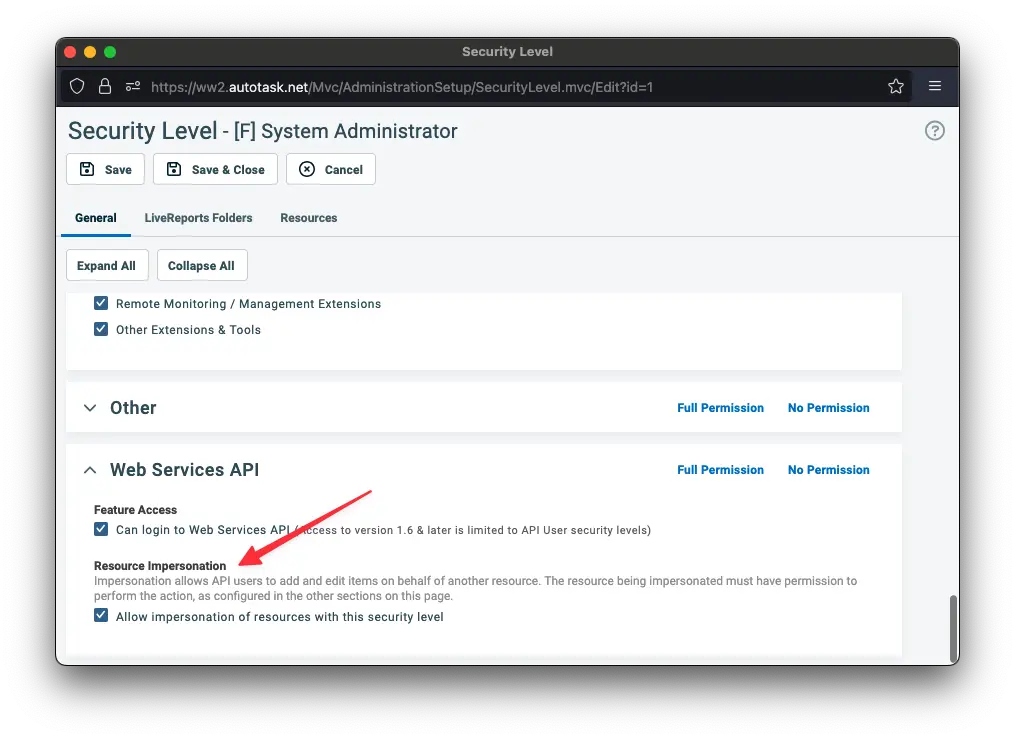
- The API user must be configured with a security level that allows impersonation. See our documentation on creating Autotask API security levels.
- The resource must use a security level that allows impersonation. In Autotask, edit each applicable security level and enable
Allow impersonation of resources with this security level: